An AI media pipeline that shows its work: ComfyUI presets, FlowDSL routing and the misses
How the images on my sites are generated: four ComfyUI presets behind one Go module, job rows as state, FlowDSL flows for routing, per-post media in the admin — and the bugs and model misses I hit shipping it. This post's own images were made the same way.
if.if.codesSep 28, 2026 · 7 min read#ai#flowdsl#comfyui#image-generation
The images and clips on the sites I run — async.shop, ainiac.com, the other brand sites — are generated, not stock. This post is the engineering side of that: how the pipeline is put together, how a blog post gets its media, and the bugs and model misses I ran into shipping it. Every image in this post came through the same pipeline, requested from this post's own media panel in the admin; the prompts and GPU times below are the real ones.
The shape of it
Four pieces, each small on its own:
ComfyUI on a GPU box on my tailnet. No public endpoint — only the servers on the private network can reach it.
A Go module, mediagen, that owns four presets: image (a fast SDXL-class checkpoint), edit (Qwen-Image-Edit 2509), angle (the same edit model with a camera-move LoRA) and video (Wan 2.2 image-to-video from a first and optional last frame, with 4-step "lightning" LoRAs). Every preset takes an aspect ratio, a size tier and, for video, a length in frames.
FlowDSL flows for everything in between — what a request turns into, and where a finished file goes. They're data, editable per project in the flow studio, not Go code.
Object storage + a proxy. Outputs land in the brand's own folder in an S3 bucket, uploaded public-read per object; Traefik maps each site's /media to its folder with no app in the path, and on the brand domains Cloudflare caches in front (byte ranges included, so video seeking works).
Presets that survive a new graph
ComfyUI graphs are JSON maps of numbered nodes. The naive way to "set the prompt" is to write into node 6 because that's where it was in the export. That breaks the first time someone re-exports the workflow. Instead the patcher finds roles by walking the graph backwards from the node that matters: the video node's start_image input is traced through any scalers to its LoadImage, its positive input to the text encoder, and so on. Sizes go onto every scaler on the path, not just the first. The upshot is that a project can store its own graph under a preset's key and it just works — as long as it has the same kind of nodes, not the same ids.
Job rows are the state
A generation is a row in Mongo: preset, parameters, the ComfyUI prompt id, status, outputs. A scheduler tick submits queued rows (a configurable number in flight — the GPU box is shared), polls ComfyUI's history, uploads outputs and emits mediagen.job.succeeded or …failed. Nothing lives only in memory, so the API can be redeployed mid-render and the result is still collected.
Want AI wired into the systems you already run?I build LLM integrations with costs and quality you can see. The estimate is free.
Flows do the routing
A blog post asking for media doesn't call the generator. It saves a row for the request, then emits an event; a flow turns the event into a job and records the job id back on the row. When the job finishes, another flow routes the file by what the job was for:
Same pattern for Instagram drafts, X/Facebook posts and editorial covers. Adding a new consumer is a new branch in a flow, not a new code path. One more flow listens to content.page.changed: when a live blog post has no cover, the AI writes a one-subject prompt and a cover is generated and applied — only if the post still has none when it's ready.
Per-post media, and this post
In the admin, every blog post has a media panel. A request is just this:
Finished media goes into the post's list; from there it's set as the cover or inserted as a <figure> after a chosen heading. Nothing lands in a live post by itself — except an auto-cover on a post with no cover. There's also an "illustrate" button: the model reads the post and proposes pictures, but they're suggestions — nothing renders until someone approves one. Here's the chain this post went through.
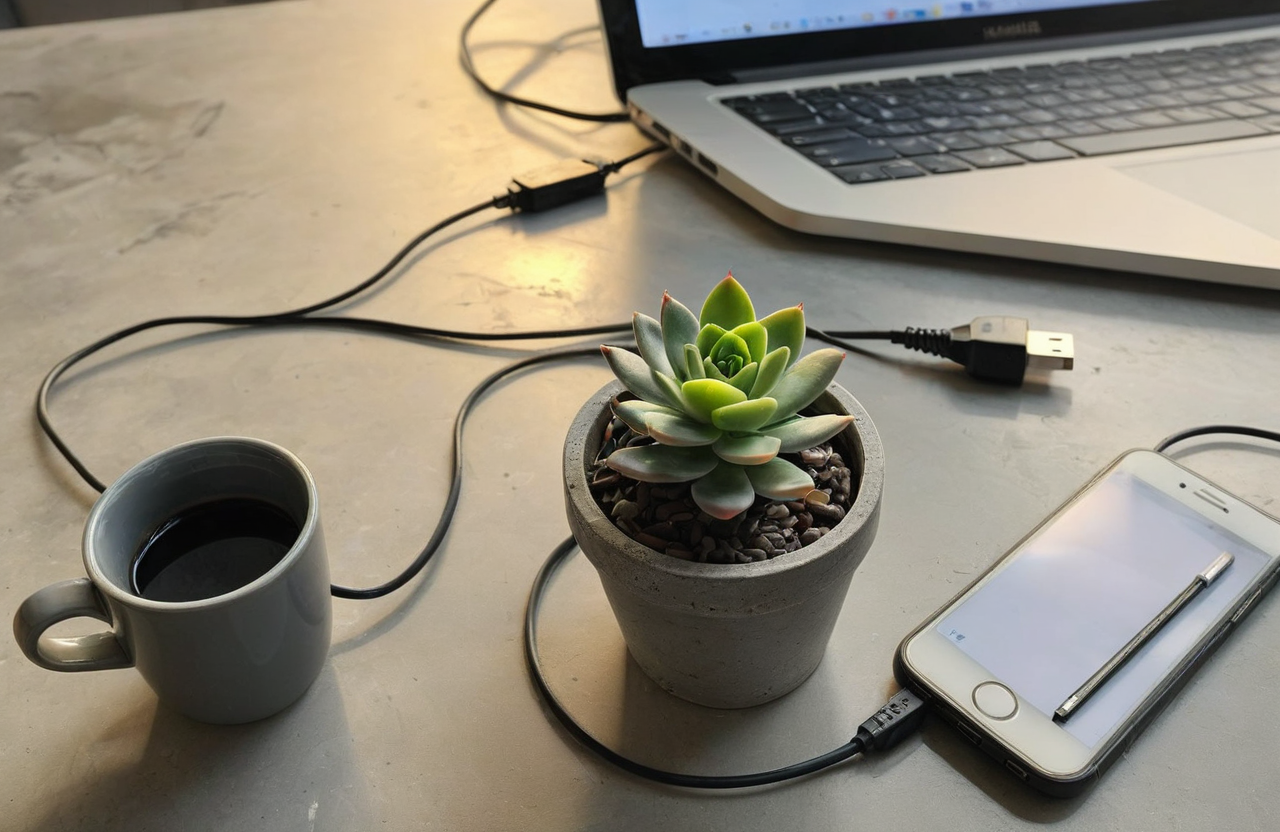
1. A plain photo
1280×832, 21 s on the GPU — a stand-in for a phone photo. The first three takes came back pixel-identical (the unseeded-request bug below). After the fix, the three new takes differed; one had two plants, one a laptop screen full of text, and the one kept still has a laptop edge the prompt never asked for.
image · 3:2 · medium · 21 s on the GPU Unedited smartphone photo of one small succulent plant in a grey concrete pot standing on a cluttered office desk next to a tangled charging cable, a spiral notebook and an empty coffee mug, flat harsh overhead office light, slightly tilted framing, ordinary everyday snapshot
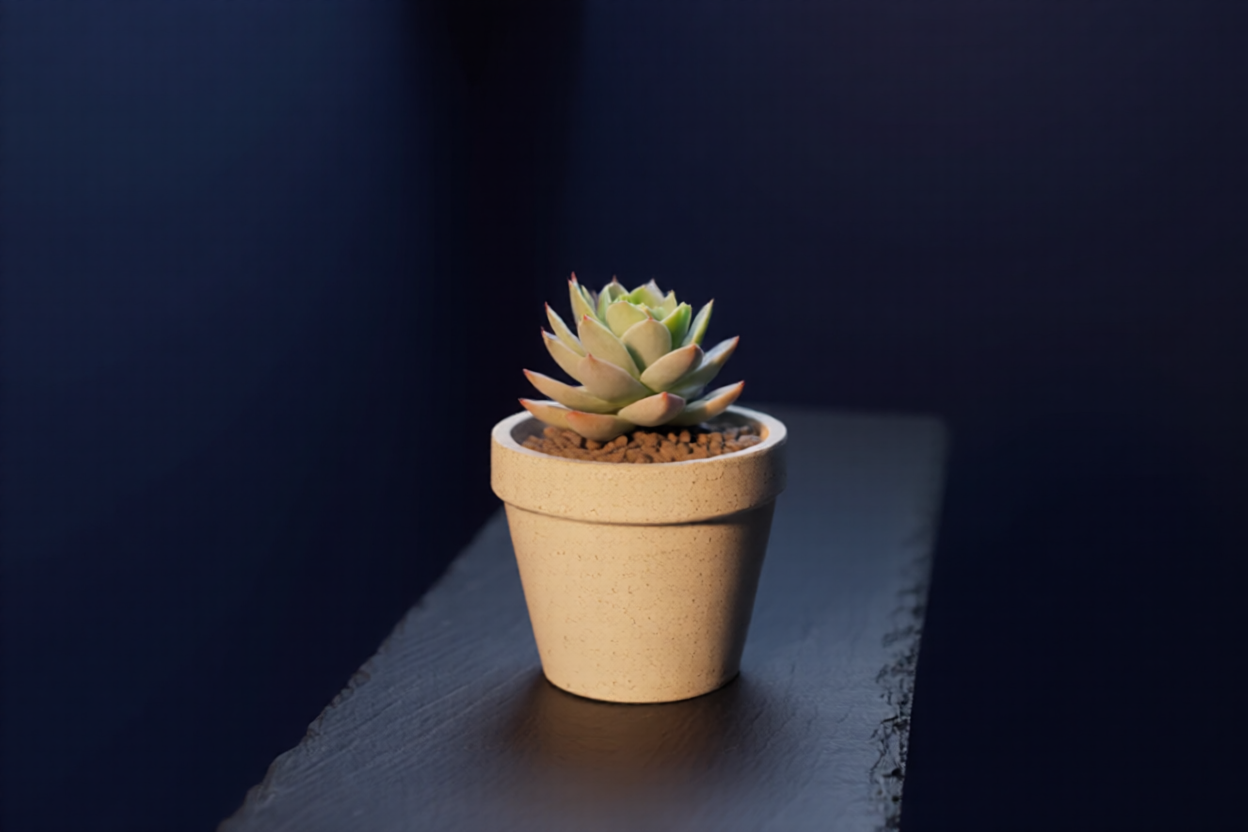
2. Edit: new set, same object
1248×832, 2 min 11 s on the GPU. Source: the photo above, passed by media id.
edit · 3:2 · medium Remove the cable, the notebook, the mug and all clutter. Place the same succulent in its concrete pot on a dark slate surface in front of a deep navy background, one soft light from the left and a gentle rim light. Keep the plant, its leaves and the pot exactly as they are. Quiet, minimal product photo.
3. Camera move
1248×832. The turn is clear here — the slate now runs away from the camera — but both takes warmed the grey concrete to beige. A generative camera move re-draws the object; check colours and details before using one as a product view.
angle · rotate 90° left · 2 min 19 s on the GPU Rotate the camera 90 degrees to the left.
4. A seamless loop
GPU time per step in this pipeline From the runs shown in this post.Source: if.codes runs on our ComfyUI box
GPU time per step in this pipeline
Seconds
Plain photo (1280×832)
21 s
Cover (1344×768)
30 s
Edit: new set, same object
131 s
Rotate the camera 90°
139 s
Seamless loop (49 frames)
262 s
video · 16:9 · medium · 49 frames Still life: the succulent rests on the dark slate while soft light slowly drifts across its leaves and the pot. Nothing else moves and nothing enters the frame. Locked-off static camera.
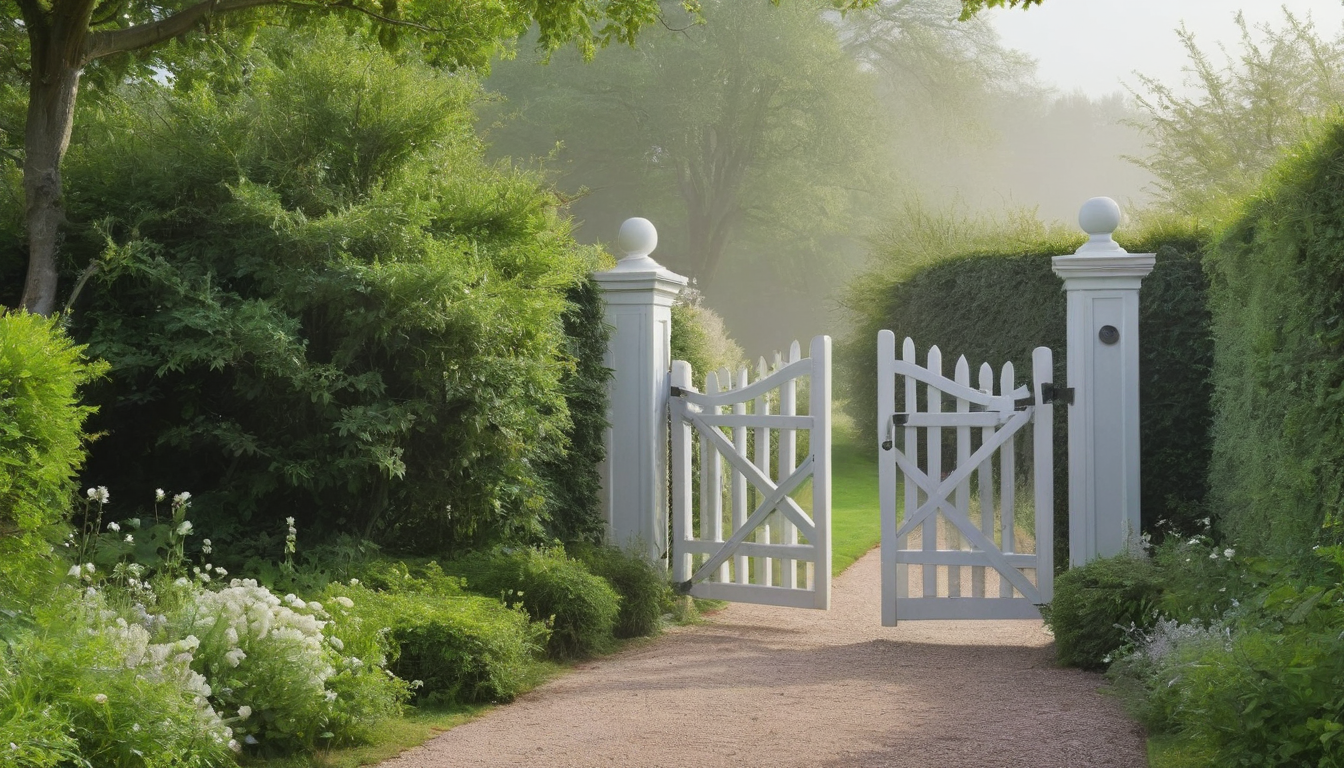
5. The cover
1344×768, 30 s on the GPU. All three takes matched the prompt this time — one subject plus light and mood is what this model does well. The one kept leaves room for the title.
image · 16:9 · medium · 30 s on the GPU One small succulent in a grey concrete pot on a dark slate desk, lit by a single soft beam of light, deep navy background, lots of empty space, quiet minimal mood
What broke
None of these were exotic. Most were the same few mistakes in new places.
An explicit field list, three times. The storage module merges admin settings over env config by building a new struct field by field; the new "upload public-read" flag wasn't in the list, so every upload stayed private and every page showed a 403. The content editor did the same in reverse: it didn't send the blog fields, and the upsert replaced them with blanks — any save from that editor would have erased a post's cover and date. The workflow store had dropped a new kind field the same way. The fix for the editor was structural: the save now keeps any field the request doesn't mention, and a field sent empty still clears it.
"Generate again" returned the same picture. A request with no seed kept the preset graph's own fixed seed. I only noticed while making this post: three tries of the first photo came back pixel-identical. Unseeded requests now draw a random seed and store it on the job, so any take can be reproduced.
A relative URL is not a source. Locally, media URLs are same-origin (/media/<key>), and the generator only fetches http(s) sources — so "animate this image" failed. Our own files now go in as bucket keys, which need no fetch at all.
Saving after emitting. The first version emitted the "cover requested" event and then saved the row. The flow runs in milliseconds and wrote the job id first; the save then overwrote it. Save, then emit.
Queue time is not GPU time.submitted_at → updated_at on a job includes waiting in ComfyUI's queue behind other jobs; a 31-second image showed up as six minutes. The times in this post come from ComfyUI's own history (execution_start → execution_success).
What the models do
Negative prompts are a no-op on the fast video model. The lightning LoRAs run at CFG 1, where the negative conditioning contributes nothing. A clip kept adding a hand lighting a candle; listing "hands, lighter" changed nothing. Removing the rising smoke from the prompt (which read as "someone just lit this") did most of the work — and one of the two takes after that still had fingertips creeping in at the edge.
Objects right, relationships wrong. "A phone on a tripod pointed at a candle" never came out: across seven tries the tripods turned into candle stands, one candle became three, a phone screen showed a stranger's face. One subject plus light and mood is reliable; a scene with things doing things to each other is not.
Famous products leak in. A plain white sneaker came back with a swoosh. If it looks like somebody's brand, change the subject.
The practical rule that came out of all this: render two or three takes of anything that matters, look at them, and say in the caption when a picture needed tries. It's cheap, and it's the difference between a pipeline you trust and one you have to apologise for.
if.if.codesI build RAG, AI integrations and agent pipelines on Go and Python backends — and write about it here.